meme-factory
npx machina-cli add skill softaworks/agent-toolkit/meme-factory --openclawMeme Factory
Create memes using the free memegen.link API and textual meme formats.
Triggers
| Trigger | Description |
|---|---|
/meme-factory | Manual invocation |
/meme-factory {template} {top} {bottom} | Direct meme generation |
meme-factory: create a meme about X | Natural language request |
Quick Reference
| Action | Format |
|---|---|
| Basic meme | https://api.memegen.link/images/{template}/{top}/{bottom}.png |
| With sizing | ?width=1200&height=630 |
| Custom background | ?style=https://example.com/image.jpg |
| All templates | https://api.memegen.link/templates/ |
| Interactive docs | https://api.memegen.link/docs/ |
Additional Resources:
- Markdown Memes Guide - 15+ textual meme formats
- Examples - Practical usage examples
- meme_generator.py - Python helper script
Quick Start
Basic Meme Structure
https://api.memegen.link/images/{template}/{top_text}/{bottom_text}.{extension}
Example:
https://api.memegen.link/images/buzz/memes/memes_everywhere.png
Result: Buzz Lightyear meme with "memes" at top and "memes everywhere" at bottom.
Text Formatting
| Character | Encoding |
|---|---|
| Space | _ or - |
| Newline | ~n |
| Question mark | ~q |
| Percent | ~p |
| Slash | ~s |
| Hash | ~h |
| Single quote | '' |
| Double quote | "" |
Popular Templates
| Template | Use Case | Example |
|---|---|---|
buzz | X, X everywhere | bugs/bugs_everywhere |
drake | Comparisons | manual_testing/automated_testing |
success | Victories | deployed/no_errors |
fine | Things going wrong | server_on_fire/this_is_fine |
fry | Uncertainty | not_sure_if_bug/or_feature |
changemind | Hot takes | tabs_are_better_than_spaces |
distracted | Priorities | my_code/new_framework/current_project |
mordor | One does not simply | one_does_not_simply/deploy_on_friday |
Template Selection Guide
| Context | Template | Why |
|---|---|---|
| Comparing options | drake | Two-panel reject/approve format |
| Celebrating wins | success | Positive outcome emphasis |
| Problems ignored | fine | Ironic "everything is fine" |
| Uncertainty | fry | "Not sure if X or Y" format |
| Controversial opinion | changemind | Statement + challenge |
| Ubiquitous things | buzz | "X, X everywhere" |
| Bad ideas | mordor | "One does not simply..." |
Validation
After generating a meme:
- URL returns valid image (test in browser)
- Text is readable (not too long)
- Template matches the message context
- Special characters properly encoded
- Dimensions appropriate for platform
Platform Dimensions
| Platform | Dimensions |
|---|---|
| Social media (Open Graph) | 1200x630 |
| Slack/Discord | 800x600 |
| GitHub | Default |
Anti-Patterns
| Avoid | Why | Instead |
|---|---|---|
| Spaces without encoding | URL breaks | Use _ or - |
| Too much text | Unreadable | 2-6 words per line |
| Wrong template | Message mismatch | Match template to context |
| Missing extension | Invalid URL | Always include .png, .jpg, etc. |
| Unencoded special chars | URL breaks | Use ~q, ~s, ~p, etc. |
| Assuming template exists | 404 error | Check templates list first |
Verification
Meme generation is successful when:
- URL is valid - Returns HTTP 200
- Image renders - Displays correctly in markdown
- Text is visible - Properly formatted on image
- Context matches - Template fits the message
Test command:
curl -I "https://api.memegen.link/images/buzz/test/test.png"
# Should return: HTTP/2 200
<details> <summary><strong>Deep Dive: Advanced Features</strong></summary>
Image Formats
| Extension | Use Case |
|---|---|
.png | Best quality, default |
.jpg | Smaller file size |
.webp | Modern, good compression |
.gif | Animated templates |
Dimensions
?width=800
?height=600
?width=800&height=600  (padded to exact)
Layout Options
?layout=top     # Text at top only
?layout=bottom  # Text at bottom only
?layout=default # Standard top/bottom
Custom Fonts
View available: https://api.memegen.link/fonts/
?font=impact (default)
Custom Images
Use any image as background:
https://api.memegen.link/images/custom/hello/world.png?style=https://example.com/image.jpg
Code Reviews
Template: fry
https://api.memegen.link/images/fry/not_sure_if_feature/or_bug.png
Deployments
Template: interesting
https://api.memegen.link/images/interesting/i_dont_always_test/but_when_i_do_i_do_it_in_production.png
Documentation
Template: yodawg
https://api.memegen.link/images/yodawg/yo_dawg_i_heard_you_like_docs/so_i_documented_the_documentation.png
Performance Issues
Template: fine
https://api.memegen.link/images/fine/memory_usage_at_99~/this_is_fine.png
Successful Deploy
Template: success
https://api.memegen.link/images/success/deployed_to_production/zero_downtime.png
Generating Memes in Response
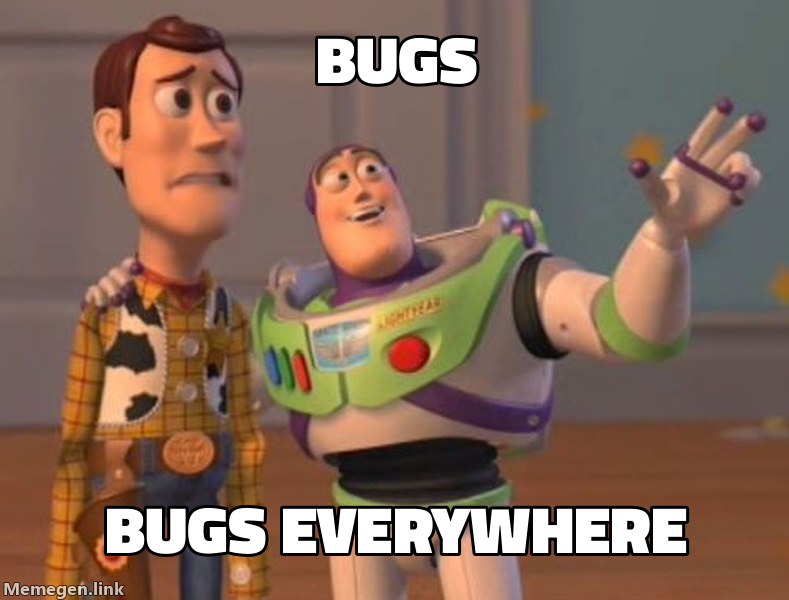
Here's a relevant meme:
Dynamic Generation (Python)
def generate_status_meme(status: str, message: str):
    template_map = {
        "success": "success",
        "failure": "fine",
        "review": "fry",
        "deploy": "interesting"
    }

    template = template_map.get(status, "buzz")
    words = message.split()
    top = "_".join(words[0:3])
    bottom = "_".join(words[3:6])

    return f"https://api.memegen.link/images/{template}/{top}/{bottom}.png"
Using the Helper Script
from meme_generator import MemeGenerator

meme = MemeGenerator()
url = meme.generate("buzz", "features", "features everywhere")
print(url)
Endpoints
| Endpoint | Purpose |
|---|---|
/templates/ | List all templates |
/templates/{id} | Template details |
/fonts/ | Available fonts |
/images/{template}/{top}/{bottom}.{ext} | Generate meme |
API Characteristics
- Free and open-source
- No API key required
- No rate limiting (normal use)
- Stateless (all info in URL)
- Images generated on-demand
Error Handling
- Check template at https://api.memegen.link/templates/
- Verify text formatting (underscores for spaces)
- Check special character encoding
- Ensure valid extension
- Test URL in browser
References
| Document | Content |
|---|---|
| markdown-memes-guide.md | 15+ textual meme formats (greentext, copypasta, ASCII, etc.) |
| examples.md | Practical usage examples |
Scripts
| Script | Purpose |
|---|---|
| meme_generator.py | Python helper for meme generation |
Summary
Generate contextual memes to:
- Add humor to conversations
- Create social media visuals
- Make code reviews engaging
- Celebrate successes
Golden rule: Keep text concise, match template to context.
Source
git clone https://github.com/softaworks/agent-toolkit/blob/main/skills/meme-factory/SKILL.mdView on GitHub Overview
Meme Factory generates memes using the free memegen.link API and supports 100+ templates with custom text and styling. It helps add humor to content and provides visual aids for social media, tutorials, and campaigns.
How This Skill Works
Memes are created by constructing URLs in memegen.link's format, e.g. /images/{template}/{top}/{bottom}.{extension}, with optional width/height or background style. Text encoding follows memegen.link rules (spaces as _ or -, newline as ~n, etc.), and you can choose from 100+ templates to fit the message.
When to Use It
- Direct meme generation via /meme-factory {template} {top} {bottom} or manual invocation
- Requests for memes to add humor to content or social media posts
- Creating visual aids for tutorials, announcements, or campaigns using familiar templates (buzz, drake, success, fine, fry, changemind, mordor)
- Experimenting with different templates to match the message tone
- Natural language requests like 'meme-factory: create a meme about X' to generate contextual memes
Quick Start
- Step 1: Choose a template and provide top_text and bottom_text (e.g., buzz / memes / memes_everywhere).
- Step 2: Build the meme URL: https://api.memegen.link/images/{template}/{top_text}/{bottom_text}.png
- Step 3: (Optional) Add width/height or style parameters and test the URL to ensure a readable image.
Best Practices
- Choose a template that matches the message context (use the template guide).
- Encode text correctly using underscores/dashes and special tokens (~n, ~q, ~p, etc.).
- Always include the file extension (.png, .jpg) in the URL.
- Test the generated URL to ensure the image renders and the text is readable.
- Keep the message concise to maintain legibility (2–6 words per line)
Example Use Cases
- Buzz Lightyear meme: https://api.memegen.link/images/buzz/memes/memes_everywhere.png
- Drake format: https://api.memegen.link/images/drake/manual_testing/automated_testing.png
- Success template: https://api.memegen.link/images/success/deployed/no_errors.png
- Fry template: https://api.memegen.link/images/fry/not_sure_if_bug/or_feature.png
- Mordor template: https://api.memegen.link/images/mordor/one_does_not_simply/deploy_on_friday.png
